onstream apk safety
If you are considering downloading OnStream APK, checking its safety should be your first priority. Third-party Android applications can offer features that are not available through traditional app stores, but downloading an APK from an unfamiliar website also introduces security risks.
Before installing any application, it is important to understand where the file comes from, who developed it, what permissions it requests, and whether Android identifies any potential security concerns.
This guide explains how to evaluate OnStream APK, recognize suspicious download sources, check Android app permissions, and protect your device before installing third-party applications.
What Is OnStream APK?
OnStream APK is promoted online as an Android entertainment application for accessing movies and television content. Various websites describe features such as content browsing, subtitles, video playback, and offline viewing.
However, information published by APK distribution websites should not automatically be treated as independently verified product information.
The name OnStream can also appear in connection with different applications. Therefore, checking the exact application identity and developer is important before downloading a file.
An application name, logo, or website description alone cannot establish that an APK is authentic.
Is OnStream APK Safe to Download?
There is not enough independently verified information to guarantee that every APK distributed under the OnStream name is safe.
The safety of an Android application depends on several factors:
- The authenticity of the APK file.
- The identity of its developer.
- The integrity of the downloaded file.
- The permissions requested by the application.
- Its behavior after installation.
- The presence of known security threats.
An application can install successfully and still contain unwanted or harmful functionality.
For this reason, avoid treating promotional statements such as 100% safe, virus-free, or verified as proof of security.
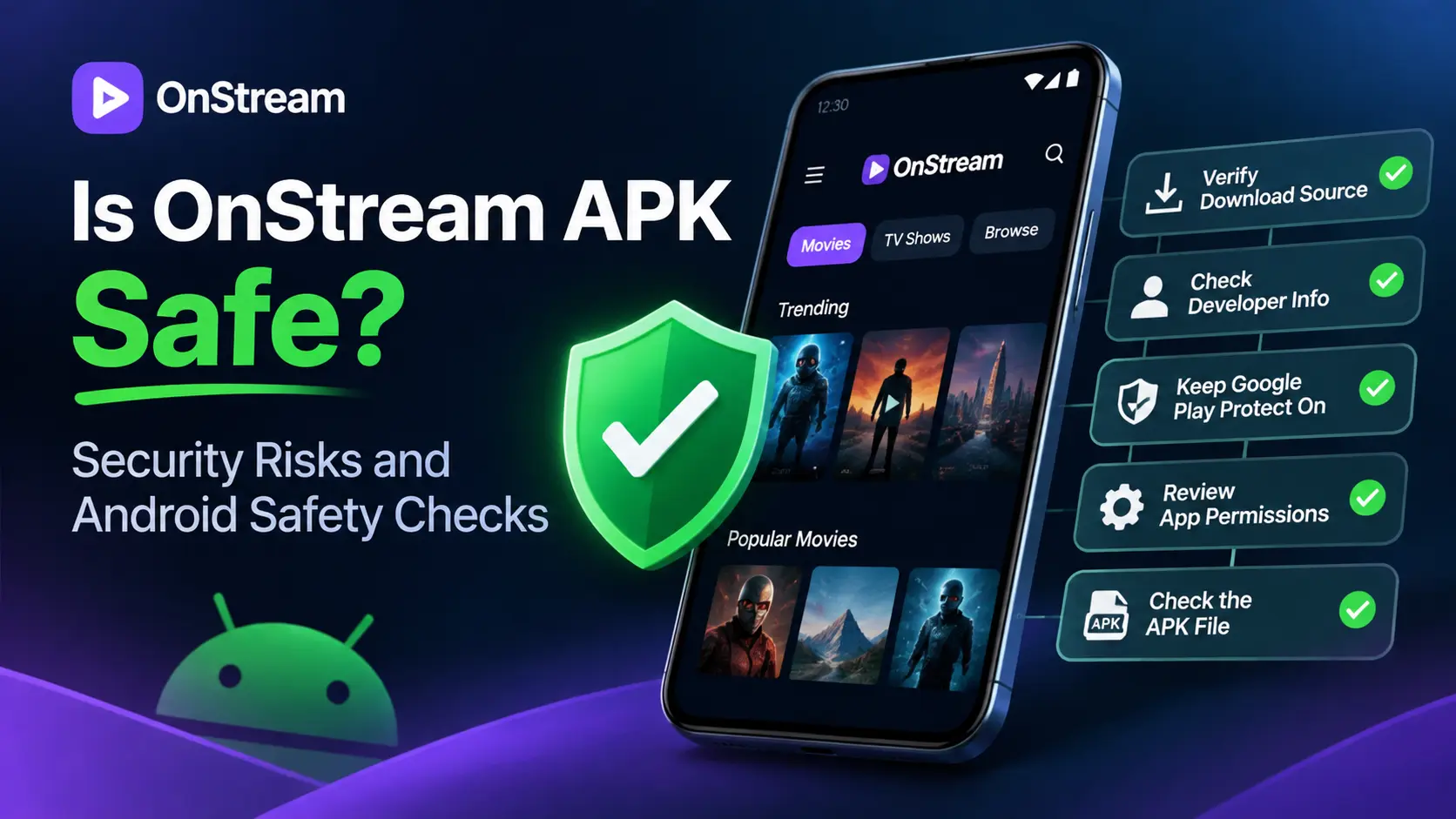
5 Things to Check Before Downloading OnStream APK
1. Verify the Download Source
Always investigate the website providing an APK file.
Check whether the website clearly identifies the application developer and provides a reliable way to verify the original release.
Be cautious when a download page:
- Redirects through several unrelated websites.
- Opens unexpected advertisements.
- Provides multiple conflicting download buttons.
- Uses unrelated file-hosting services without explaining the source.
- Offers APK files with unclear version information.
A website describing a file as official does not independently establish its authenticity.
2. Check the Developer Information
Developer information helps users distinguish genuine applications from similarly named or modified versions.
Before downloading, look for:
- Developer or publisher name.
- Official developer website.
- Application package name.
- Release history.
- Update information.
- Developer contact information.
Compare these details with the information provided by the original publisher, where independently verifiable information is available.
If the developer cannot be identified, treat the application as unverified.
3. Keep Google Play Protect Enabled
Google Play Protect is an Android security feature that checks applications for potentially harmful behavior.
It can examine applications installed from outside Google Play, display security warnings, and disable or remove applications identified as harmful.
To check its status:
- Open Google Play Store.
- Tap your profile icon.
- Select Play Protect.
- Open Settings.
- Check that Scan apps with Play Protect is enabled.
Do not disable security protection simply because a third-party website recommends ignoring an installation warning.
4. Review App Permissions
Android applications request permissions to access different device features and information.
Some permissions are necessary for particular functions, while others may be unrelated to an application’s purpose.
Before granting access, review requests involving:
- Contacts.
- Location.
- Camera.
- Microphone.
- SMS.
- Phone calls.
- Photos and personal files.
To review permissions:
- Open Android Settings.
- Select Apps.
- Find the installed application.
- Open Permissions.
- Review the permissions that have been granted.
Deny permissions that are unnecessary for the application’s intended functionality.
5. Check the APK File Before Installation
An APK file is an Android application package. Its file format does not indicate whether it is safe.
Before considering installation, check whether the file has:
- A clearly identified publisher.
- A verifiable digital signature.
- A trustworthy release history.
- Consistent version information.
- A reliable source.
A file hash can help establish whether a downloaded file matches a separately verified original copy. However, a matching hash alone does not prove that the original application is trustworthy.
Common Warning Signs of an Unsafe APK
Not every third-party APK is harmful, but certain warning signs deserve attention.
| Warning sign | Why it matters |
|---|---|
| Unknown developer | Publisher identity is unclear |
| Excessive permissions | Access may exceed the app’s purpose |
| Multiple download redirects | The original file source is uncertain |
| Fake update notifications | May lead to unrelated downloads |
| Unexpected pop-ups | Could indicate unwanted behavior |
| Security warnings | Android has identified a potential concern |
| Conflicting version numbers | The file’s release history is unclear |
If several warning signs appear together, avoid installing the application until its source and authenticity can be verified.
What Should You Do If Google Play Protect Displays a Warning?
A Google Play Protect warning should never be ignored without understanding its cause.
Play Protect can identify potentially harmful applications and may block, disable, or remove them.
If a warning appears:
- Stop the installation process.
- Read the warning carefully.
- Do not disable Play Protect to bypass the warning.
- Check whether the file comes from a verifiable developer.
- Avoid installing the APK if its authenticity cannot be established.
Protecting personal information and device security is more important than installing an unfamiliar application.
Is OnStream APK Legal?
Application safety and copyright legality are two different questions.
An APK file is simply an Android application package. Its format does not determine whether the content accessed through the application is legally distributed.
The legality of a streaming application depends on factors such as:
- Whether the content provider has appropriate distribution rights.
- Whether copyrighted material is made available with authorization.
- The copyright laws applicable in the user’s country.
- The way the application accesses and distributes content.
Users should choose authorized streaming services and avoid accessing copyrighted content without permission.
How to Protect Your Android Device When Using Third-Party Apps
A few practical security habits can reduce exposure to unwanted applications.
- Prefer applications distributed through trusted app stores.
- Verify the publisher before installing software.
- Keep Android and security updates current.
- Leave Google Play Protect enabled.
- Review application permissions regularly.
- Avoid suspicious advertisements and download redirects.
- Remove applications that behave unexpectedly.
- Never provide sensitive personal information to an unverified application.
These practices apply to all third-party Android applications, not only OnStream.
Frequently Asked Questions
Is OnStream APK completely safe?
Its safety cannot be guaranteed without independently verifying the specific APK file, publisher, and application behavior. Different websites may distribute files using the same application name.
Is OnStream available on Google Play Store?
The availability of an application should be checked directly in Google Play. Also verify the publisher because similarly named applications may be unrelated.
Can an APK file contain malware?
Yes. An APK can contain malicious or unwanted functionality. Downloading from an unfamiliar source increases the risk of installing an unverified application.
Does Google Play Protect scan APK files?
Google Play Protect checks applications from Google Play and can also examine applications installed from other sources. It may warn users about potentially harmful applications.
Should I disable Play Protect to install OnStream?
No. Disabling Android security protection to bypass a warning is not recommended. Investigate the warning and verify the application before proceeding.
Can an application be safe but still have copyright issues?
Yes. Application security and copyright authorization are separate matters. A technically safe application does not automatically have permission to distribute all the content it provides.
Final Thoughts
Before downloading OnStream APK, take time to investigate the application source, developer identity, file authenticity, and requested permissions.
Do not rely solely on download counts, promotional claims, or a website’s use of the word official. Keep Google Play Protect enabled and pay attention to Android security warnings.